Every application asks about your activities, but no two ask the same way. The UC application wants up to 20 entries with room to explain; the Common App wants 10 activities in a tight 150 characters each, with honors in a separate section. If you apply to both, you end up describing the same robotics team twice, under two sets of rules. Here's how each application asks, and how to keep one list that works for all of them.
Start with one master list
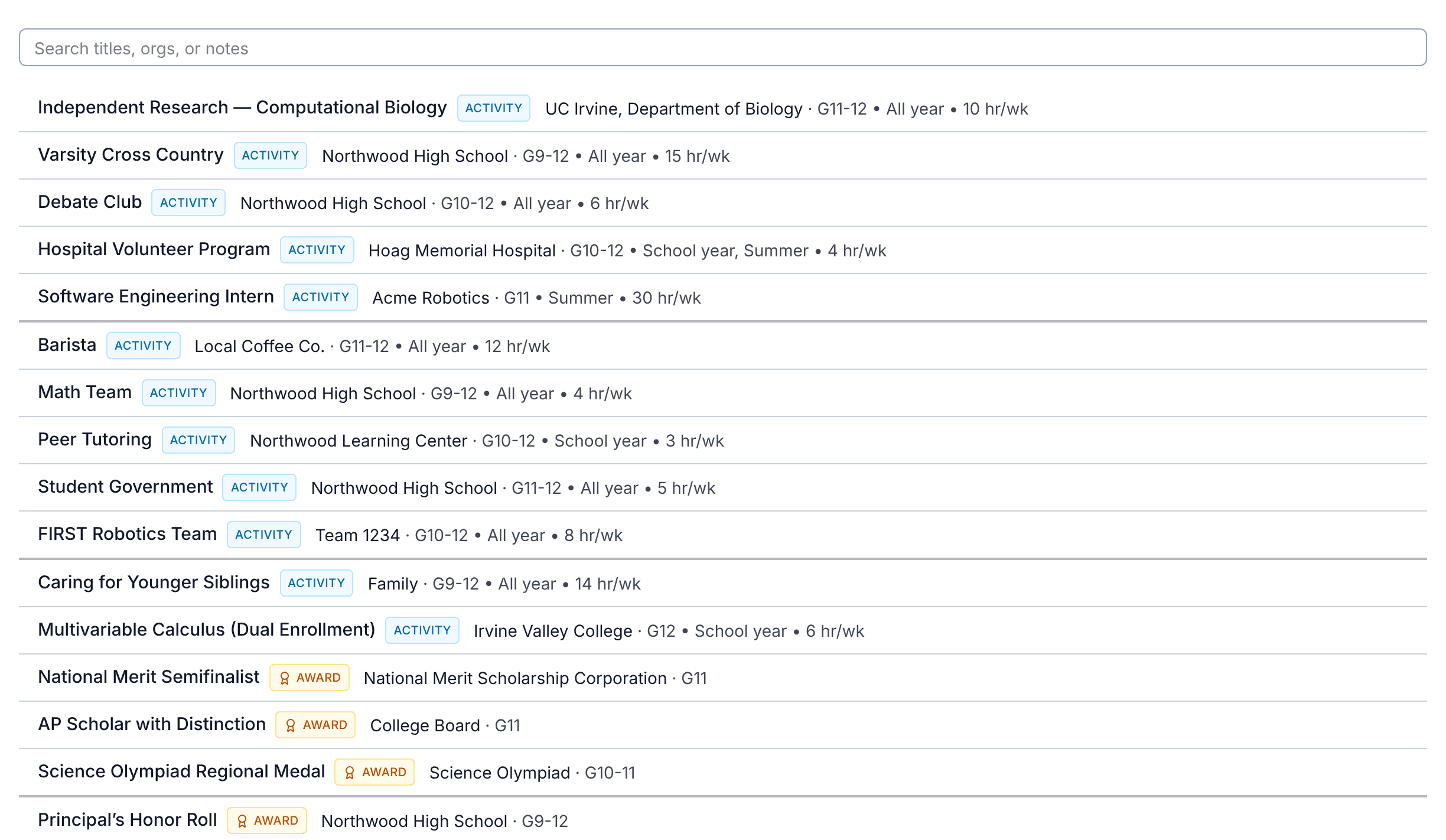
Before you think about any application, write down everything you've done since the start of 9th grade: clubs, sports, jobs, volunteering, family responsibilities, summer programs, research, courses outside school, and awards. For each one, note the organization, your role, the grades you did it, and roughly how many hours a week and weeks a year it took. Those facts are the same no matter which application you're filling out, so you only want to gather them once.
The writing is what changes. Each application gives you a different amount of space and asks a slightly different question, so the best description for one application is rarely the best for another.
How the UC application asks
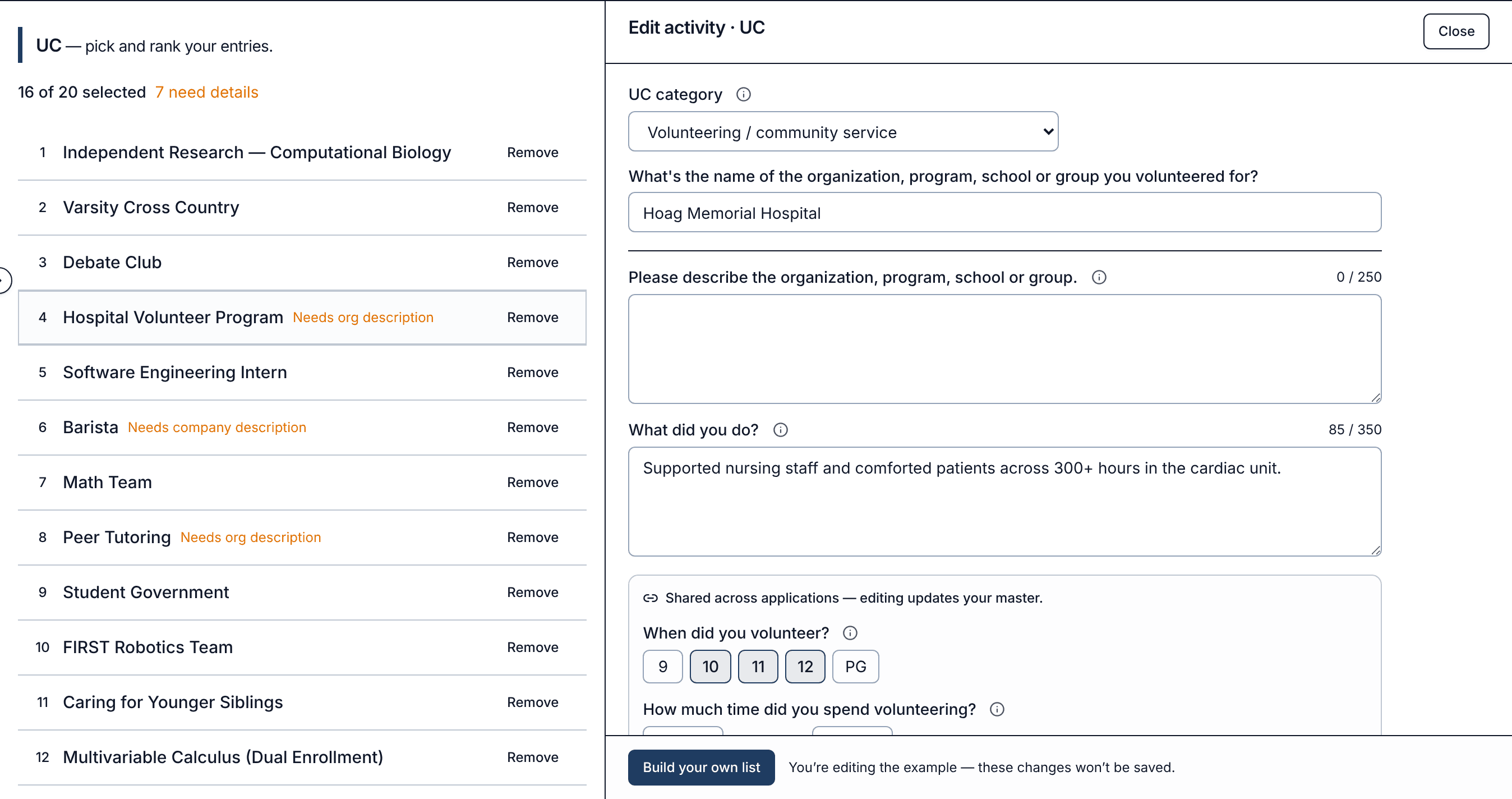
UC's Activities & awards section takes up to 20 entries, and activities and awards share those 20 slots. Each entry starts with one of six categories:
- Award or honor
- Educational preparation program
- Extracurricular activity
- Other coursework
- Volunteer / Community service
- Work experience
The questions that follow change with the category. Most entries get a 350-character answer to "What did you do?" (or the category's version of it). Volunteering and work also ask you to describe the organization in 250 characters, and an award asks for its eligibility requirements in 250. UC also asks which grades you participated in, with an option for after 12th grade, and how much time you spent. Once you submit, UC doesn't accept changes to this section, so it's worth getting right before you send it.
How the Common App asks
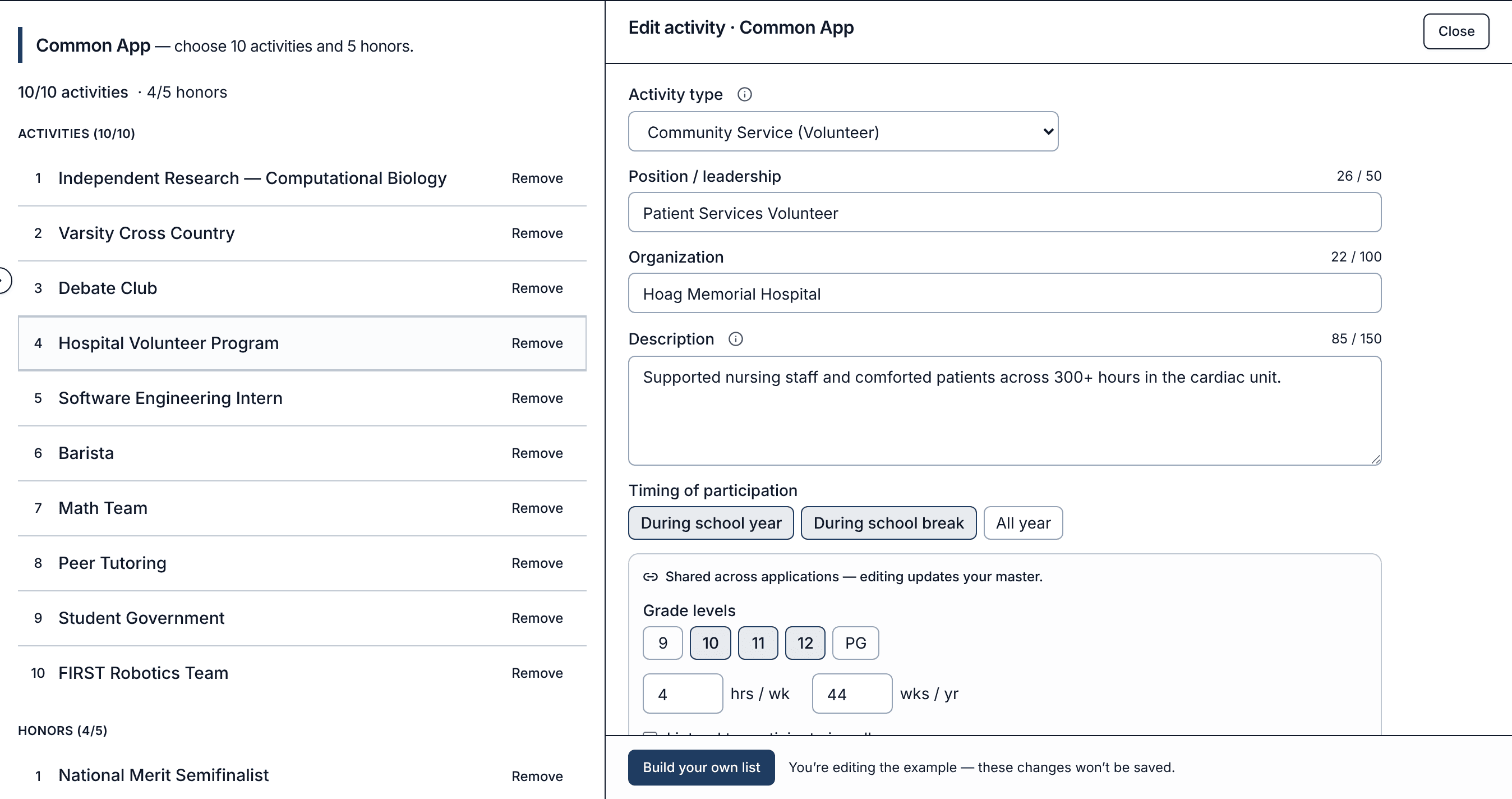
The Common App splits things in two. The Activities section takes up to 10 activities, listed in order of importance. Each one gets an activity type (about 30 options, from Academic to Work (Paid)), a 50-character position or leadership description, a 100-character organization name, and a 150-character description of what you did. It also asks when you participated (school year, school break, or all year), your hours and weeks, and whether you plan to do something similar in college.
Awards go in the separate Honors section, under Education: up to 5 honors, each with a 100-character title and no description field, plus its level of recognition and the grades you received it.
What changes between the two
| UC application | Common App | |
|---|---|---|
| Activities | 20 entries, shared with awards | 10 activities |
| Awards | Count toward the 20 | 5 honors, in a separate section |
| Main description | 350 characters | 150 characters |
| Categories | 6 UC categories | About 30 activity types |
| Extra questions | Organization or eligibility description (250) | Position (50), organization (100), college plans |
The practical result: a UC description can tell the story, while a Common App description has to be a single, dense line. Your top 10 for the Common App may also be a different set than your 20 for UC, and an award that sits in your UC list moves to Honors on the Common App.
How Activities handles it
Activities on CalculatedPath is built around that master list. You enter each activity or award once, then open the UC or Common App view to shape it for that application:
- The categories are filled in for you. A volunteering entry starts in UC's volunteer category and as "Community Service (Volunteer)" on the Common App. You can change either one, and the other stays as it was.
- Facts stay in sync. Grades, hours per week, and weeks per year are shared, so correcting them in one application updates every application.
- Each application gets its own wording. A description starts from your master summary, then it's yours to rewrite for that application's space. Your 150-character Common App version won't overwrite your 350-character UC version.
- Limits are built in. Every field shows its real character count, each view enforces its application's cap (20 for UC; 10 activities and 5 honors for the Common App), and entries that are missing something an application asks for are flagged, like an organization description UC needs.
- You choose and rank per application. Pick which entries go to each application and put them in the order you want.
You can try it right away with an example list, no account needed. Sign in to save your own.
More applications are on the way
The UC application and the Common App are live today. Other applications, including Cal State Apply and ApplyTexas, ask about activities in their own ways, and they'll appear in Activities as additional views of the same master list. Anything you add now carries over, so the work you do for UC and the Common App won't need to be redone.
Note: Application formats can change from one admission cycle to the next. The limits here match the current UC application and Common App; check the application itself before you submit.